일단 답글에 다시 답글을 다는 건 불가능한 구조로 먼저 만들어보도록 하겠다.
@Table(name = "comment")
@Getter
@Entity
@ToString
@NoArgsConstructor(access = AccessLevel.PROTECTED)
public class Comment {
    @Id
    private Long commentId;
    private String content;
    private Long parentCommentId;
    private Long articleId; // shard key
    private Long writerId;
    private Boolean deleted;
    private Instant createdAt;

    public static Comment create(Long commentId, String content, Long parentCommentId, Long articleId, Long writerId) {
        Comment comment = new Comment();
        comment.commentId = commentId;
        comment.content = content;
        comment.parentCommentId = parentCommentId == null ? commentId : parentCommentId;
        comment.articleId = articleId;
        comment.writerId = writerId;
        comment.deleted = false;
        comment.createdAt = Instant.now();
        return comment;
    }

    public boolean isRoot() {
        return parentCommentId.longValue() == commentId;
    }

    public void delete() {
        deleted = true;
    }
}
댓글(또는 답글) 엔티티.
댓글인 경우 부모 댓글 ID는 자신의 ID로 넣는다. 이는 정렬을 부모 댓글 ID 순으로 하기 위함이다.
생성 시각은 LocalDateTime보단 Instant로 해주는 쪽이 국가에 따라서 달라지는 시각을 일괄적으로 관리하기 편하다.
만약 답글이 있는 댓글에 삭제 요청이 들어온 경우 삭제 표시만 하고 남겨둔다.
만약 그 이후 답글이 전부 삭제되면 자동으로 댓글도 삭제된다.
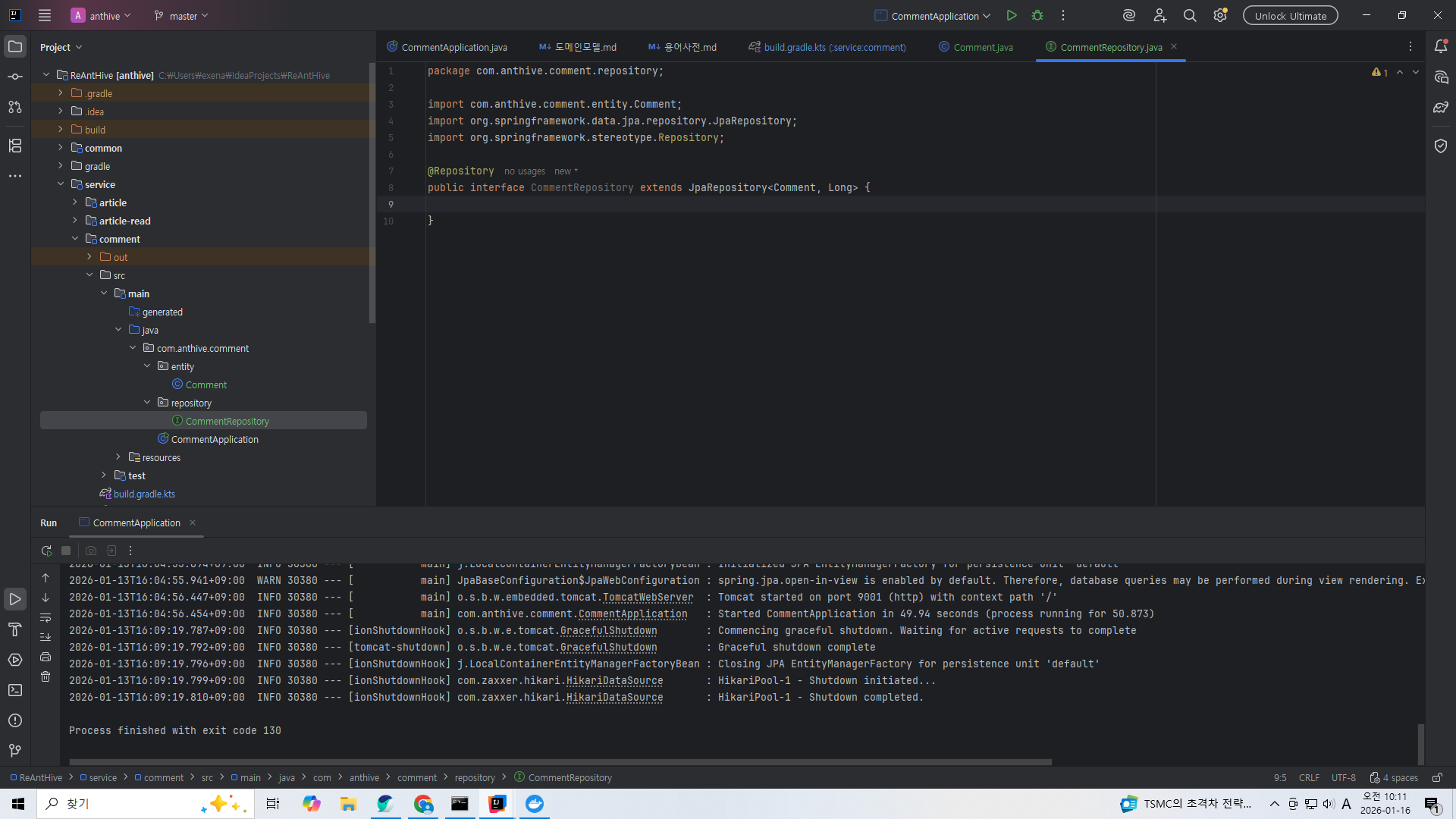
일단 JPA 리파지토리를 만든다.
이렇게만 만들어둬도 기본적인 CRUD 함수는 자동으로 제공한다.
@Query(
        value = "select count(*) from (" +
                "   select comment_id from comment " +
                "   where article_id = :articleId and parent_comment_id = :parentCommentId " +
                "   limit :limit" +
                ") t",
        nativeQuery = true
)
Long countBy(
        @Param("articleId") Long articleId,
        @Param("parentCommentId") Long parentCommentId,
        @Param("limit") Long limit
);
여기에 답글의 수를 세는 쿼리 함수를 작성해준다.
이는 서비스단에서 댓글 삭제 요청을 처리할 때 답글이 존재하는지 체크해야 하기 때문이다.
다만 where 절에서 쓰인 게시판id와 부모 댓글 id로 정렬된 인덱스를 만들어주지 않으면 댓글 수가 늘어남에 따라서 느려질 것이다.
그리고 자기 자신도 카운트한다.

그리고 서비스단도 만들어서 리파지토리를 필드로 넣어준다.
@Getter
public class CommentCreateRequest {
    private Long articleId;
    private String content;
    private Long parentCommentId;
    private Long writerId;
}
@Getter
@ToString
public class CommentResponse {
    private Long commentId;
    private String content;
    private Long parentCommentId;
    private Long articleId;
    private Long writerId;
    private Boolean deleted;
    private Instant createdAt;

    public static CommentResponse from(Comment comment) {
        CommentResponse response = new CommentResponse();
        response.commentId = comment.getCommentId();
        response.content = comment.getContent();
        response.parentCommentId = comment.getParentCommentId();
        response.articleId = comment.getArticleId();
        response.writerId = comment.getWriterId();
        response.deleted = comment.getDeleted();
        response.createdAt = comment.getCreatedAt();
        return response;
    }
}
근데 서비스단에 함수를 만드려면 요청과 응답 DTO가 필요하다.
@Transactional
public CommentResponse create(CommentCreateRequest request) {
    Comment parent = findParent(request);
    Comment comment = commentRepository.save(
            Comment.create(
                    snowflake.nextId(),
                    request.getContent(),
                    parent == null ? null : parent.getCommentId(),
                    request.getArticleId(),
                    request.getWriterId()
            )
    );
    return CommentResponse.from(comment);
}

private Comment findParent(CommentCreateRequest request) {
    Long parentCommentId = request.getParentCommentId();
    if ( parentCommentId == null) {
        return null;
    }
    return commentRepository.findById(parentCommentId)
            .filter(not(Comment::getDeleted))
            .filter(Comment::isRoot)
            .orElseThrow();
}
이제 서비스단에 생성 함수를 만들어주자.
근데 생성 함수 내부에서 쓸 부모 댓글 객체를 id로 찾는 함수를 만들어주자.
그냥 리포지토리에서 바로 findById로 가져오면 답글을 달 수 없는 댓글에 답글 요청이 들어와도 막을 수가 없기 때문에 내부 함수를 만들어서 이미 삭제된 댓글인지, 그리고 답글에 또 답글을 달려는건 아닌지 체크해주자.
@Transactional
public void delete(Long commentId) {
    commentRepository.findById(commentId)
            .filter(not(Comment::getDeleted))
            .ifPresent(comment -> {
                if (hasChildren(comment)) {
                    comment.delete();
                } else {
                    delete(comment);
                }
            });
}

private boolean hasChildren(Comment comment) {
    return commentRepository.countBy(comment.getArticleId(), comment.getCommentId(), 2L) == 2;
}
삭제 함수의 경우에는 답글이 존재하는 경우엔 그냥 댓글 삭제 표시만 해주고 답글이 없다면 실제로 데이터를 삭제한다.
private void delete(Comment comment) {
    commentRepository.delete(comment);
    if (!comment.isRoot()) {
        commentRepository.findById(comment.getParentCommentId())
                .filter(Comment::getDeleted)
                .filter(not(this::hasChildren))
                .ifPresent(this::delete);
    }
}
실제 데이터 삭제 함수의 경우 일단 데이터를 삭제한다.
그리고 부모 댓글을 불러와서 삭제 표시가 되어있는데 만약 모든 답글이 삭제된 상태라면 재귀적으로 부모 댓글에서도 삭제 함수를 실행한다. 답글이 없으므로 실제 데이터 삭제로 이어지게 될 것이다.
@RestController
@RequiredArgsConstructor
public class CommentController {
    private final CommentService commentService;

    @GetMapping("/v1/comments/{commentId}")
    public CommentResponse read(
            @PathVariable("commentId") Long commentId
    ) {
        return commentService.read(commentId);
    }

    @PostMapping("/v1/comments")
    public CommentResponse create(@RequestBody CommentCreateRequest request) {
        return commentService.create(request);
    }

    @DeleteMapping("/v1/comments/{commentId}")
    public void delete(@PathVariable("commentId") Long commentId) {
        commentService.delete(commentId);
    }
}
API 컨트롤러를 만들어주면 끝.
'스프링 부트로 블로그 서비스 개발하기' 카테고리의 다른 글
| 댓글 기능 - 새 모듈 만들고 설정 (0) | 2026.01.13 |
|---|---|
| 포스트 CRUD 기능 - 게시글 목록의 무한 스크롤 조회 (0) | 2026.01.12 |
| 포스트 CRUD 기능 - 커버링 인덱스 방식으로 게시글 목록의 페이지 조회 쿼리 최적화 (0) | 2026.01.11 |
| 포스트 CRUD 기능 - 인덱스 생성 및 커버링 인덱스 (1) | 2026.01.11 |
| 포스트 CRUD 기능 - 쓰레드풀을 써서 게시글 대량 삽입 테스트 (0) | 2026.01.10 |