@SpringBootTest
public class DataInitializer {
    @PersistenceContext
    EntityManager entityManager;
    @Autowired
    TransactionTemplate transactionTemplate;
    Snowflake snowflake = new Snowflake();
    CountDownLatch latch = new CountDownLatch(EXECUTE_COUNT);

    static final int BULK_INSERT_SIZE = 2000;
    static final int EXECUTE_COUNT = 6000;


    @Test
    void initialize() throws InterruptedException {
        ExecutorService executorService = Executors.newFixedThreadPool(10);
        for(int i = 0; i < EXECUTE_COUNT; i++) {
            executorService.submit(() -> {
                insert();
                latch.countDown();
                System.out.println("latch.getCount() = " + latch.getCount());
            });
        }
        latch.await();
        executorService.shutdown();
    }

    void insert() {
        transactionTemplate.executeWithoutResult(status -> {
            Comment prev = null;
            for(int i = 0; i < BULK_INSERT_SIZE; i++) {
                Comment comment = Comment.create(
                        snowflake.nextId(),
                        "content",
                        i % 2 == 0 ? null : prev.getCommentId(),
                        1L,
                        1L
                );
                prev = comment;
                entityManager.persist(comment);
            }
            entityManager.flush();
            entityManager.clear();
        });
    }
}
게시글 데이터 대량 삽입 때와 똑같은 형태로 댓글 데이터도 삽입해준다.
이번에는 운영과 테스트 서버 분리 없이 그냥 진행하였다.
데이터를 1200만건 삽입하는데 30분정도 걸렸다.
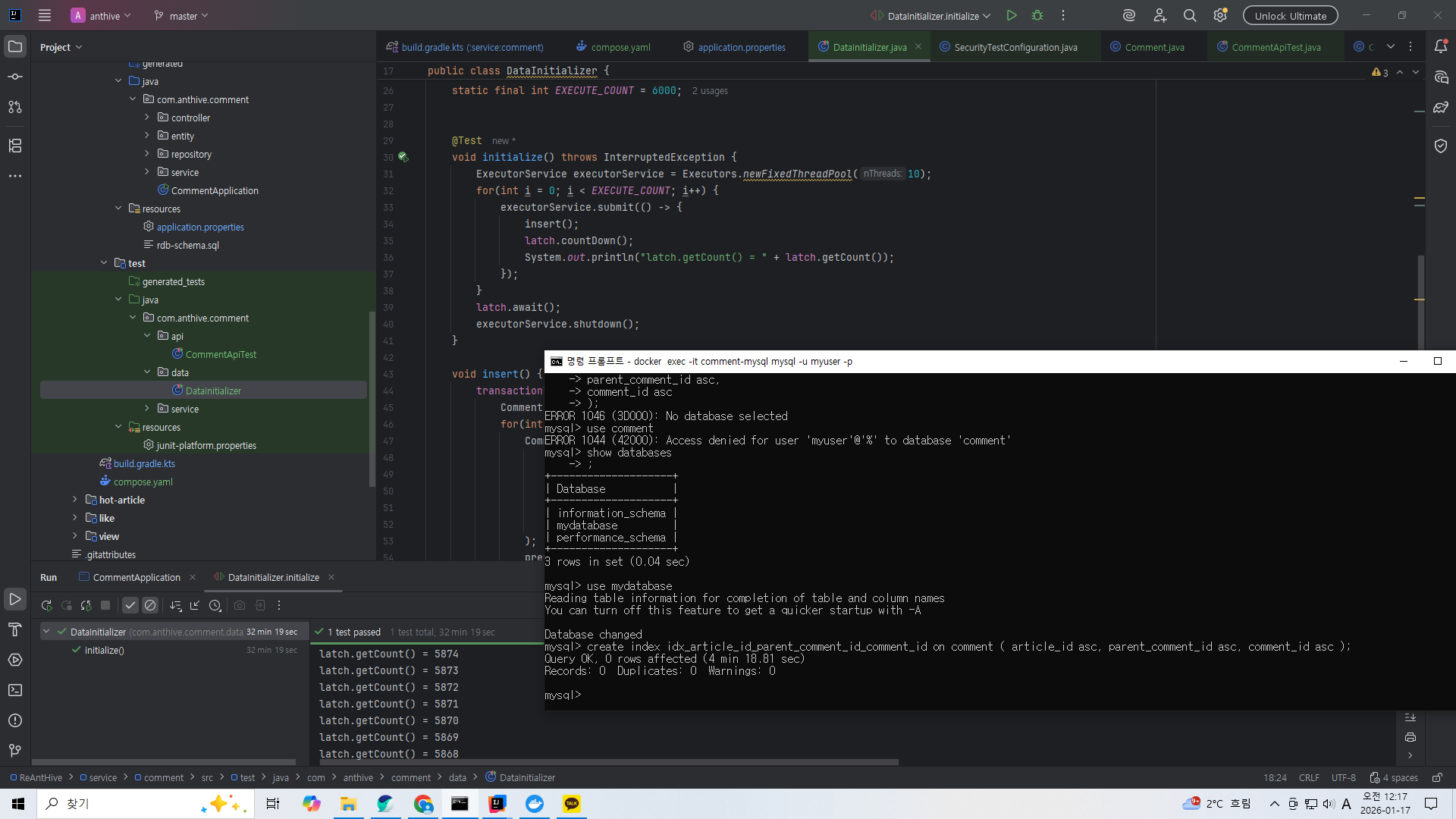
docker exec -it comment-mysql mysql -u myuser -p
secret
use mydatabase
create index idx_article_id_parent_comment_id_comment_id on comment ( article_id asc, parent_comment_id asc, comment_id asc );
데이터베이스에 접속하고 인덱스를 생성해주자.
@Query(
        value = "select comment.comment_id, comment.content, comment.parent_comment_id, comment.article_id, " +
                "comment.writer_id, comment.deleted, comment.created_at " +
                "from (" +
                "   select comment_id from comment where article_id = :articleId " +
                "   order by parent_comment_id asc, comment_id asc " +
                "   limit :limit offset :offset " +
                ") t left join comment on t.comment_id = comment.comment_id",
        nativeQuery = true
)
List<Comment> findAll(
        @Param("articleId") Long articleId,
        @Param("offset") Long offset,
        @Param("limit") Long limit
);

@Query(
        value = "select count(*) from (" +
                "   select comment_id from comment where article_id = :articleId limit :limit" +
                ") t",
        nativeQuery = true
)
Long count(
        @Param("articleId") Long articleId,
        @Param("limit") Long limit
);

@Query(
        value = "select comment.comment_id, comment.content, comment.parent_comment_id, comment.article_id, " +
                "comment.writer_id, comment.deleted, comment.created_at " +
                "from comment " +
                "where article_id = :articleId " +
                "order by parent_comment_id asc, comment_id asc " +
                "limit :limit",
        nativeQuery = true
)
List<Comment> findAllInfiniteScroll(
        @Param("articleId") Long articleId,
        @Param("limit") Long limit
);

@Query(
        value = "select comment.comment_id, comment.content, comment.parent_comment_id, comment.article_id, " +
                "comment.writer_id, comment.deleted, comment.created_at " +
                "from comment " +
                "where article_id = :articleId and (" +
                "   parent_comment_id > :lastParentCommentId or " +
                "   (parent_comment_id = :lastParentCommentId and comment_id > :lastCommentId) " +
                ")" +
                "order by parent_comment_id asc, comment_id asc " +
                "limit :limit",
        nativeQuery = true
)
List<Comment> findAllInfiniteScroll(
        @Param("articleId") Long articleId,
        @Param("lastParentCommentId") Long lastParentCommentId,
        @Param("lastCommentId") Long lastCommentId,
        @Param("limit") Long limit
);
그리고 리파지토리에 offset방식 댓글 목록 읽기(페이지 방식)와 where 방식 댓글 목록 읽기(무한 스크롤 방식) 쿼리함수를 만들어준다. 이부분도 게시글 목록 읽기 때와 거의 똑같다. 다만 정렬할 때 부모 댓글의 순서가 우선된다. 이건 실제로 댓글과 답글이 보여지는 순서를 생각해보면 당연한 것을 알 수 있다.
public CommentPageResponse readAll(Long articleId, Long page, Long pageSize) {
    return CommentPageResponse.of(
            commentRepository.findAll(articleId, (page - 1) * pageSize, pageSize).stream()
                    .map(CommentResponse::from)
                    .toList(),
            commentRepository.count(articleId, PageLimitCalculator.calculatePageLimit(page, pageSize, 10L))
    );
}

public List<CommentResponse> readAll(Long articleId, Long lastParentCommentId, Long lastCommentId, Long limit) {
    List<Comment> comments = lastParentCommentId == null || lastCommentId == null ?
            commentRepository.findAllInfiniteScroll(articleId, limit) :
            commentRepository.findAllInfiniteScroll(articleId, lastParentCommentId, lastCommentId, limit);
    return comments.stream()
            .map(CommentResponse::from)
            .toList();
}
서비스단에도 페이지 방식과 무한 스크롤 방식의 목록 읽기 기능을 제공해준다.